I spent a full week putting together this Whatsapp Android App Review after installing and testing the app on a mid-range Android phone as my daily messaging app. I used it for personal chats, group conversations, voice calls, video calls, file sharing, status updates, and even business communication. In this review, I’ll cover what it actually feels like to use in 2026, where it shines, and the annoying problems users keep talking about.
Messaging apps are easy to take for granted because most of us already have them installed. But after using WhatsApp heavily for several days with fresh eyes, I noticed some things that long-time users may overlook.
Some are great. Some are frustrating.
Let’s get into it.
First Impressions After Installation
Installing WhatsApp on Android still feels straightforward. Download, verify your number, restore chats if needed, and you’re in.
When I tried it on my phone, setup took only a few minutes. I restored a backup and expected the process to drag on, but everything loaded surprisingly fast.
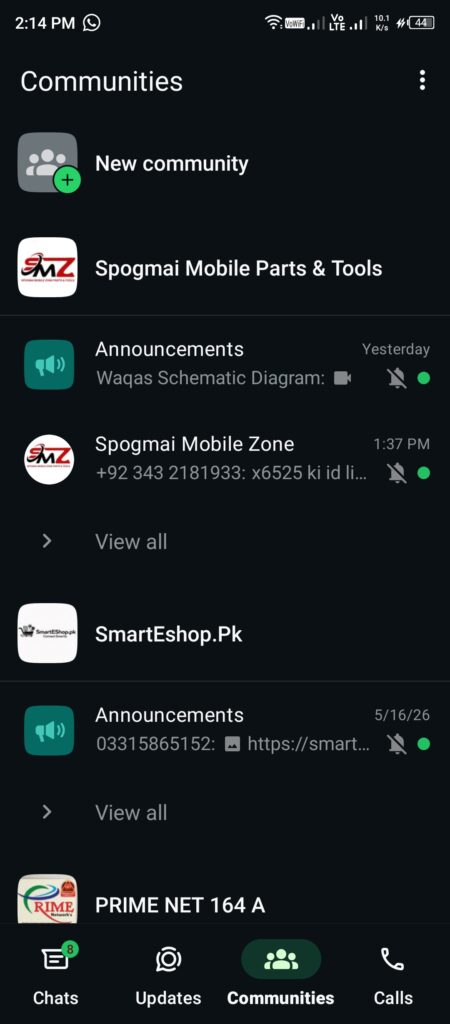
The home screen still keeps the familiar layout: Chats, Updates, Communities, Calls, and settings hidden in the menu. If you’ve used WhatsApp before, nothing feels confusing.
That can be good and bad.
Good because you instantly know where everything is.
Bad because some parts now feel slightly crowded compared to older versions.
The Updates section, for example, pushes Status and Channels more aggressively than before.
My Hands-On Experience: UI and Daily Performance
I tested WhatsApp on a mid-range Android device with moderate specs rather than a flagship phone. That’s important because most users aren’t carrying ultra-premium devices.
In my testing, the app felt mostly smooth.
Chats opened quickly. Messages arrived instantly. Photos sent without delays.
Voice notes also loaded fast even during weaker network conditions.
Scrolling through hundreds of messages in active groups stayed smooth for the most part.
Video calls surprised me.
I joined several long calls with multiple participants, and call quality remained stable over Wi-Fi and mobile data. Background noise reduction seemed better than older versions.
I also tried screen sharing during calls. It worked, though I noticed occasional frame drops.
Animations looked polished.
Dark mode still feels easier on the eyes at night, and the interface colors seem cleaner than previous versions.
One thing I noticed during testing: WhatsApp now feels much heavier than it did years ago.
There are more tabs.
More features.
More menus.
More things happening in the background.
It isn’t difficult to use, but it definitely no longer feels like the lightweight app many people remember.
Messaging Experience
Text messaging remains WhatsApp’s strongest area.
Messages deliver almost instantly.
Typing indicators work smoothly.
Reaction features feel natural.
Editing sent messages has become one of my favorite additions.
When I tried message editing, it saved me from sending embarrassing typos multiple times.
The disappearing message feature also works well if you care about privacy.
Group chats remain both useful and chaotic.
I tested large groups and community channels and noticed that message organization can get messy quickly.
If you’re part of dozens of active groups, notifications can become overwhelming.
Muting becomes your best friend.
Voice and Video Calling Test
Voice calls continue to be one of WhatsApp’s biggest strengths.
I tested calls with friends for several days and overall audio quality stayed clear.
Video quality depends heavily on internet speed.
Strong Wi-Fi gave me crisp visuals.
Mobile data sometimes introduced slight blur and compression.
Battery use increased during long video sessions, though that isn’t surprising.
Screen sharing and larger call support are nice additions, especially for remote work or helping family members troubleshoot something.
File Sharing and Media Features
I tested sending:
- PDFs
- Photos
- Long videos
- Voice notes
- Documents
- ZIP files
Transfer speeds felt quick.
HD photo sharing also works better than before.
Older versions often compressed images badly.
Now users have more control.
I still noticed compression in some situations though.
Photos shared repeatedly through multiple chats eventually lost visible quality.
Storage usage also becomes a problem over time.
After a week of testing with active groups, media files started eating space surprisingly fast.
WhatsApp can quietly fill your phone storage if auto-download settings stay enabled.
Status and Channels: Useful or Extra Clutter?
Status updates feel familiar if you’ve used stories on other apps.
Some people love them.
Others ignore them completely.
Channels are more mixed.
When I tried following several channels, I found some useful for news and updates.
But I also felt they pushed WhatsApp closer toward becoming a social platform rather than a simple messaging app.
Not everyone wants that.
Many users just want fast messaging.
Real User Complaints in 2026
This is where things get interesting.
Looking at recent Play Store reviews and discussions online, users are praising features but also pointing out recurring issues.
And after my own testing, I understand many of the complaints.
Battery Drain Complaints
Many users on Reddit mention higher battery usage after recent updates.
I noticed something similar.
WhatsApp remained active in background processes more often than expected.
After long calling sessions and heavy messaging days, battery percentages dropped faster than usual.
It wasn’t terrible, but it was noticeable.
Mid-range devices may feel this more than flagship phones.
Notification Delays
Notification complaints continue appearing regularly.
Some users say messages arrive late until they manually open the app.
I experienced delayed notifications once during testing while battery optimization settings were enabled.
Android sometimes creates conflicts with aggressive power-saving systems.
Backup Frustration
Chat backup remains a pain point.
Large backups can become slow.
Restoring years of media still feels frustrating.
If your internet connection isn’t stable, the process can feel endless.
Random Bugs
Many users mention smaller bugs:
- Keyboard occasionally freezing
- Voice notes not sending immediately
- Sticker loading delays
- Status updates getting stuck
- Camera opening slowly
I experienced only minor lag once while switching rapidly between camera and chats.
Still, reports suggest bugs vary by phone model.
Feature Overload
Older WhatsApp fans often say the app feels too busy now.
After a week of testing, I understand that criticism.
Communities.
Channels.
Status.
AI additions.
Suggested features.
The app now tries to do far more than simple messaging.
Privacy Features: Better Than Before?
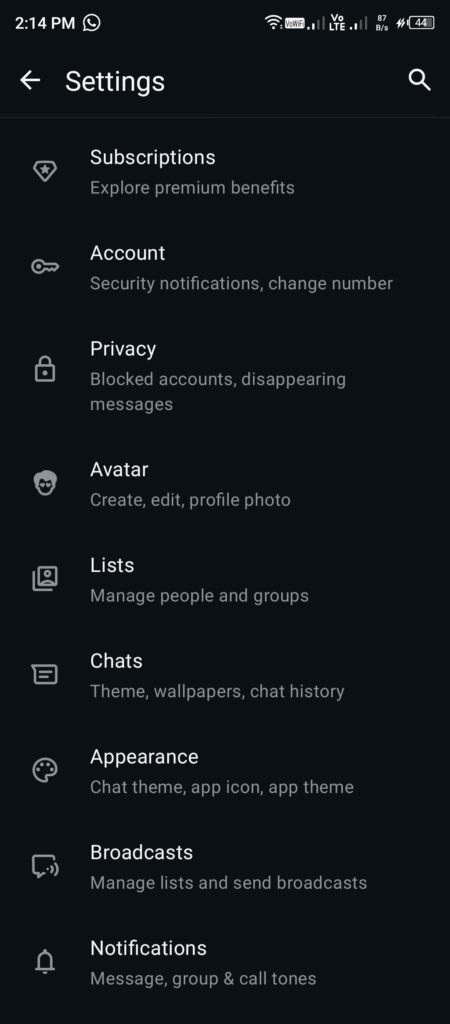
Privacy settings are stronger now than they used to be.
Users can:
- Hide online status
- Lock chats
- Control profile visibility
- Silence unknown callers
- Use disappearing messages
- Add fingerprint protection
When I tested chat locking, setup was simple.
Extra protection always helps, especially if you share your phone occasionally.
Still, privacy discussions never completely disappear.
People continue debating cloud backups and data handling.
That conversation probably won’t end anytime soon.
Pros
- Fast message delivery
- Reliable voice calling
- Smooth user interface
- End-to-end encryption
- Useful message editing
- Strong privacy controls
- Supports large file sharing
- Huge global user base
- Works well on mid-range phones
Cons
- Battery drain can be noticeable
- Too many features added over time
- Notifications occasionally delay
- Storage fills quickly
- Backup restoration can feel slow
- Large groups become overwhelming
- Minor bugs still appear after updates
Is It Still Worth Using in 2026?
That depends on what you want.
If you need a messaging app everyone already uses, WhatsApp still dominates.
That network effect matters.
Convincing friends and family to move elsewhere is nearly impossible.
During my week of testing, the app remained reliable enough that I never felt forced to switch.
But I also noticed signs of feature overload.
The original simplicity feels slightly diluted.
People wanting a cleaner experience may prefer alternatives focused only on messaging.
Still, WhatsApp remains one of the easiest apps to recommend because nearly everyone already has it installed.
That convenience alone is hard to beat.
My Final Verdict for this Whatsapp Android App Review
After a full week of testing, I came away with mixed but mostly positive feelings.
The core experience still works extremely well.
Messages send instantly.
Calls remain reliable.
Privacy tools improved.
Performance stayed smooth on a mid-range device.
The biggest downside is feature bloat. The app keeps growing beyond messaging, and some users will love that while others won’t.
For daily communication though, it still gets the job done.
Rating: 8.8/10
If you need a dependable messaging app that handles nearly everything, this Whatsapp Android App Review shows why it remains one of Android’s biggest apps in 2026. Even with a few frustrations, it continues to earn its place on most phones.
For more honest app reviews, explore the ZapAPK homepage or reach out via our Contact Us page.

Hi, I am Muhammad Shahbaz, an Android enthusiast with over 3 years of app testing experience. I review apps on real devices to help you find the best and safest tools for your phone without any fluff.