I recently spent a full week testing the Youtube Android App Review experience on a mid-range Android phone to see how it performs in real daily use. I wanted to go beyond the usual “watch videos and move on” routine and check things people actually care about: speed, battery use, ads, video quality, bugs, background features, and whether the app still feels smooth in 2026.
YouTube is one of those apps almost everyone already has installed. But after using it heavily for seven days — watching videos, scrolling Shorts, casting to TV, downloading content, and testing multiple settings — I noticed both the great parts and the frustrating ones.
This review covers my real experience, current user complaints, and whether the app still deserves space on your phone.
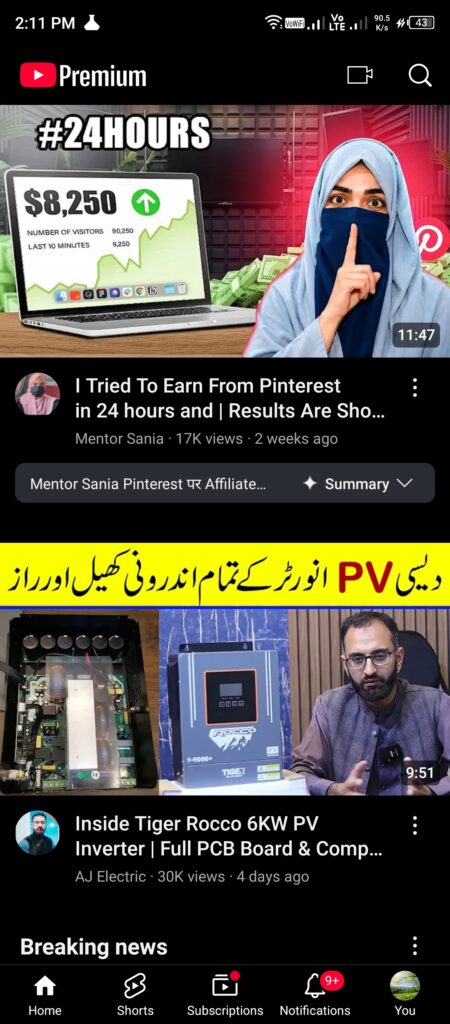
First Impressions and Setup Experience
When I installed the app and logged in, setup was extremely quick. Since my Google account was already connected, recommendations started appearing instantly.
The home feed looked clean and familiar. YouTube hasn’t changed its core layout too much, which is probably a good thing. The bottom navigation tabs make everything easy to find.
On my mid-range phone with 6GB RAM, the app opened in around two seconds. That sounds small, but some heavy apps take noticeably longer.
What stood out immediately was how personalized the recommendations became after just a day of use.
After watching a few tech videos, Android tutorials, and gaming content, my feed completely shifted toward my interests.
That part still feels almost scary-good.
Hands-On Experience: UI and Daily Performance
This is where things became interesting.
In my testing, YouTube felt smooth most of the time. Swiping between videos, opening comments, and moving across tabs rarely caused stutters.
Video playback itself was excellent.
I tested:
- 480p
- 720p
- 1080p
- 1440p
- 4K playback on Wi-Fi
Videos loaded fast with very little buffering.
Even on mobile data, adaptive quality worked surprisingly well.
Picture-in-picture mode also worked properly while replying to messages or browsing other apps.
That feature sounds simple until you actually start using it daily.
Once you get used to floating playback, going back feels annoying.
Shorts scrolling was smooth too.
But I noticed something during longer sessions.
After around 30–40 minutes of nonstop Shorts usage, the phone became warmer than expected.
Not dangerously hot.
Just warmer than apps like Instagram or Facebook usually get.
Battery usage also climbed quickly during long sessions.
Video Quality Still Looks Excellent
YouTube still wins when it comes to video quality options.
You can manually select:
- Auto mode
- Higher picture quality
- Data saver
- Advanced resolutions
HDR videos looked fantastic during testing.
Colors popped nicely and motion stayed smooth.
On good Wi-Fi, watching travel videos or gaming footage looked almost addictive.
Audio quality also remained consistent.
Even with regular phone speakers, videos sounded clear.
Search and Recommendation System
The recommendation system remains both impressive and annoying.
When I tried searching for Android tutorials and tech reviews, results appeared instantly.
Search suggestions felt accurate.
Voice search also worked surprisingly well.
But recommendations sometimes became repetitive.
After watching one specific topic repeatedly, my home feed became flooded with very similar content.
Many users on Reddit mention this too.
People often say the algorithm pushes content aggressively instead of mixing things up naturally.
I noticed that myself after several days.
Ads: The Biggest Frustration
Let’s talk honestly about the thing most people complain about.
Ads.
There are a lot of them.
And during testing, I felt they appeared more frequently than I remembered.
I experienced:
- Skippable ads
- Two back-to-back ads
- Mid-roll interruptions
- Banner promotions
- Premium prompts
Sometimes I watched a short video and saw multiple interruptions.
That can get irritating fast.
Especially when watching tutorials.
You pause, return, and suddenly another ad appears.
The experience sometimes felt like YouTube was trying hard to push Premium subscriptions.
That feeling came up repeatedly throughout the week.
Premium Features: Worth Paying For?
I tested some Premium features through a trial period.
The difference was immediately noticeable.
No ads changed the entire experience.
Background play also became incredibly useful.
I could lock the phone and continue listening to podcasts or long discussions.
Offline downloads worked well too.
But here’s the issue.
Some users feel features that once felt normal now sit behind a subscription wall.
Looking at recent Play Store reviews, complaints around Premium pricing continue appearing regularly.
People aren’t necessarily angry at Premium itself.
They’re frustrated by how aggressive the upgrade reminders feel.
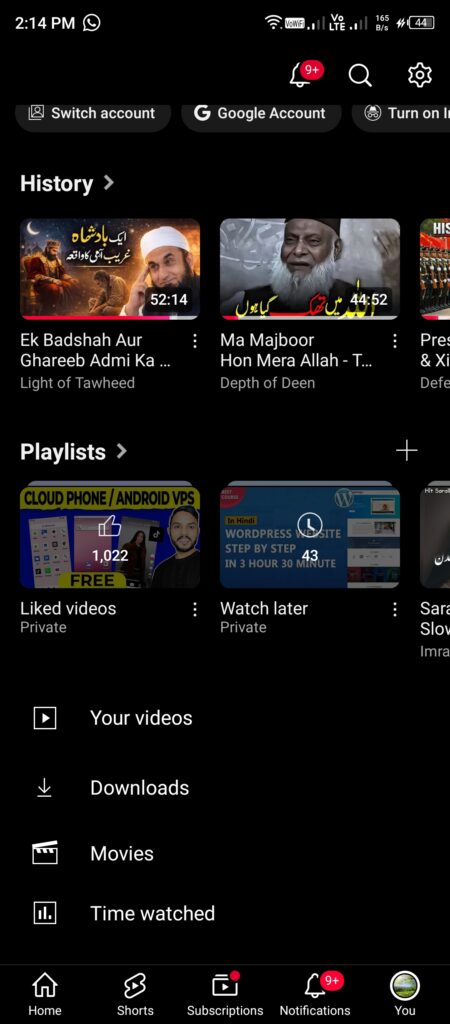
Real User Complaints in 2026
No app this big avoids criticism.
After checking recent user discussions and comparing them with my own experience, several complaints showed up repeatedly.
Battery Drain
This one felt real during my testing.
Watching videos for long periods, especially Shorts, used more battery than expected.
A one-hour session dropped battery faster compared with several competing apps.
Many users mention the same issue.
Random Lag on Older Devices
My phone handled things well overall.
But users with older Android devices report occasional stutters when opening comments or switching between videos.
Comments sections sometimes seem heavier than before.
Shorts Overload
This complaint appears everywhere.
Many users feel YouTube pushes Shorts too aggressively.
Even when trying to focus on long videos, Shorts constantly appear across recommendations.
I experienced this too.
The app really wants attention.
Notification Overload
YouTube notifications can become overwhelming quickly.
Without adjusting settings, your phone starts receiving:
- Live stream alerts
- Suggested uploads
- Channel updates
- Trending videos
I had to disable several notification categories after two days.
My Experience With Uploading Videos
I also tested creator features.
Uploading videos remained easy.
The app allows editing titles, descriptions, privacy settings, thumbnails, and audience selection.
Upload speed mostly depended on internet connection.
But I noticed longer uploads occasionally sat processing for more time than expected.
Creators using phones only may still prefer desktop tools for bigger editing tasks.
YouTube Android App Review: Things I Liked
After a week of testing, several positives stood out.
Pros
- Fast setup process
- Smooth video playback
- Great recommendation accuracy
- Picture-in-picture support
- Excellent video quality choices
- Easy casting to TVs
- Offline downloads with Premium
- Reliable search results
- Huge content library
Things That Need Improvement
No app is perfect.
Cons
- Too many ads for free users
- Battery drain during heavy usage
- Shorts are pushed aggressively
- Recommendations become repetitive
- Premium reminders appear frequently
- Notifications need manual adjustment
Is It Still Worth Installing?
Absolutely.
Even with its annoyances, YouTube remains hard to replace.
Every type of content exists there:
Tutorials.
Podcasts.
Gaming.
News.
Education.
Music.
Reviews.
Almost everything.
The app still works well enough that most users will tolerate its weaker points.
That says a lot.
The biggest question isn’t whether YouTube is good.
The question is whether you can tolerate the ad-heavy free experience.
My Final Verdict for this Youtube Android App Review
After using the app heavily for a week, I’d still recommend it for Android users.
Performance stayed smooth on a mid-range phone. Video quality remained excellent and core features worked exactly as expected.
The app loses points because of ad overload, battery usage, and aggressive Premium pushes.
Still, it remains one of the strongest entertainment apps available.
Rating: 8.7/10
For more honest app reviews, explore the ZapAPK homepage or reach out via our Contact Us page.

Hi, I am Muhammad Shahbaz, an Android enthusiast with over 3 years of app testing experience. I review apps on real devices to help you find the best and safest tools for your phone without any fluff.